
For YNAB users
See the big picture of your plan.
Clearday puts your YNAB goals, true expenses and debts on one timeline, so you can see your debt-free date and what any change does to it, before you decide.
Get early accessExample plan
Made-up numbers
Debt-free
March 2028
- TodayOct 2026
- Car paid offMar 2027
- TripAug 2027
- Debt-freeMar 2028
Try $200 more a month on the student loan: debt-free moves to November 2027, 4 months sooner.
Questions Clearday answers
- When will we be debt-free?Your date, and the step-by-step reasons behind it.
- Can we afford this trip, and what does it really cost us?See what it moves before you book it.
- Where should the bonus go?Compare paying debt, saving and spending, side by side.
- Are we on track this month?A five-minute check-in that says yes or no, and why.
See it on your phone and your computer
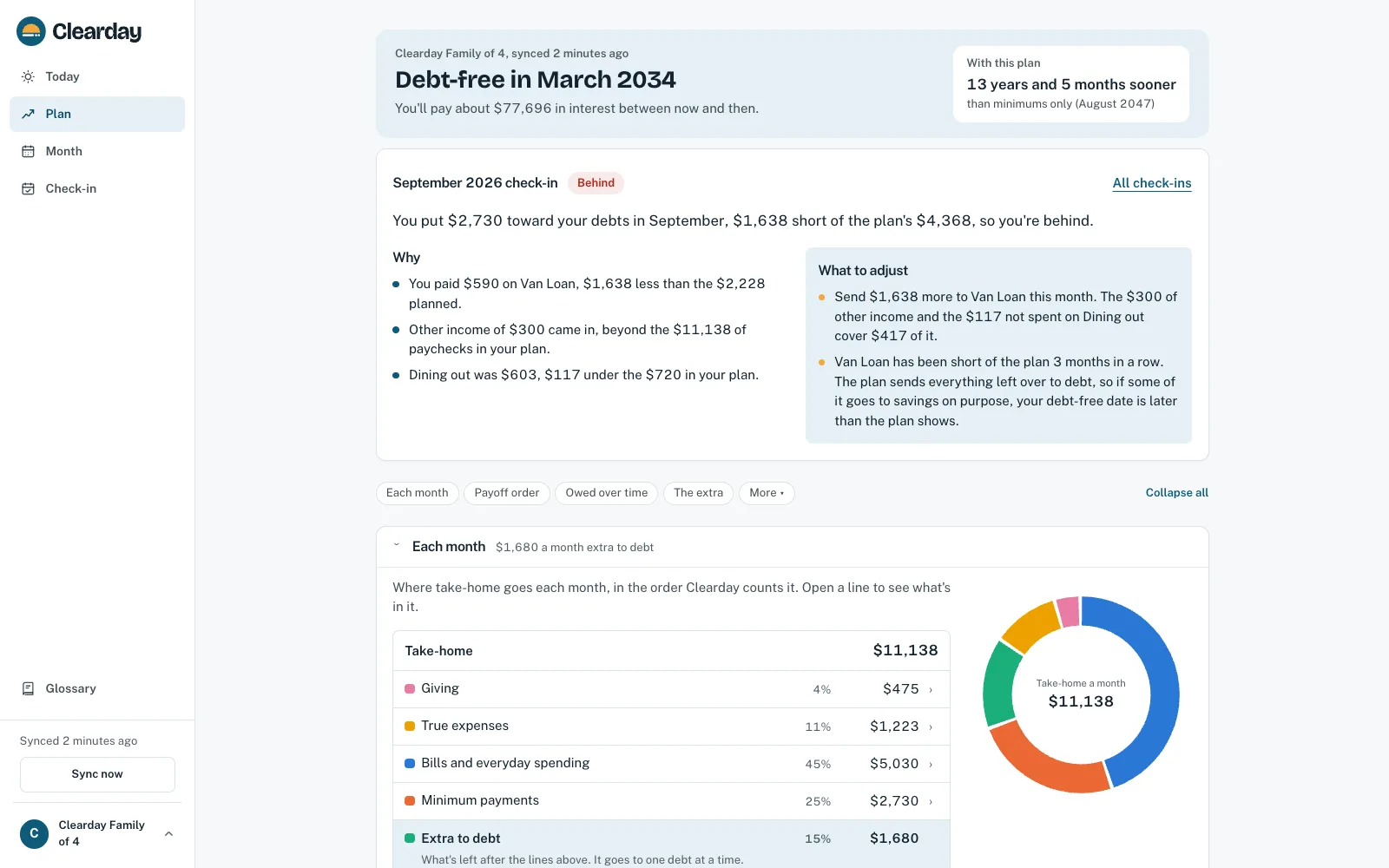
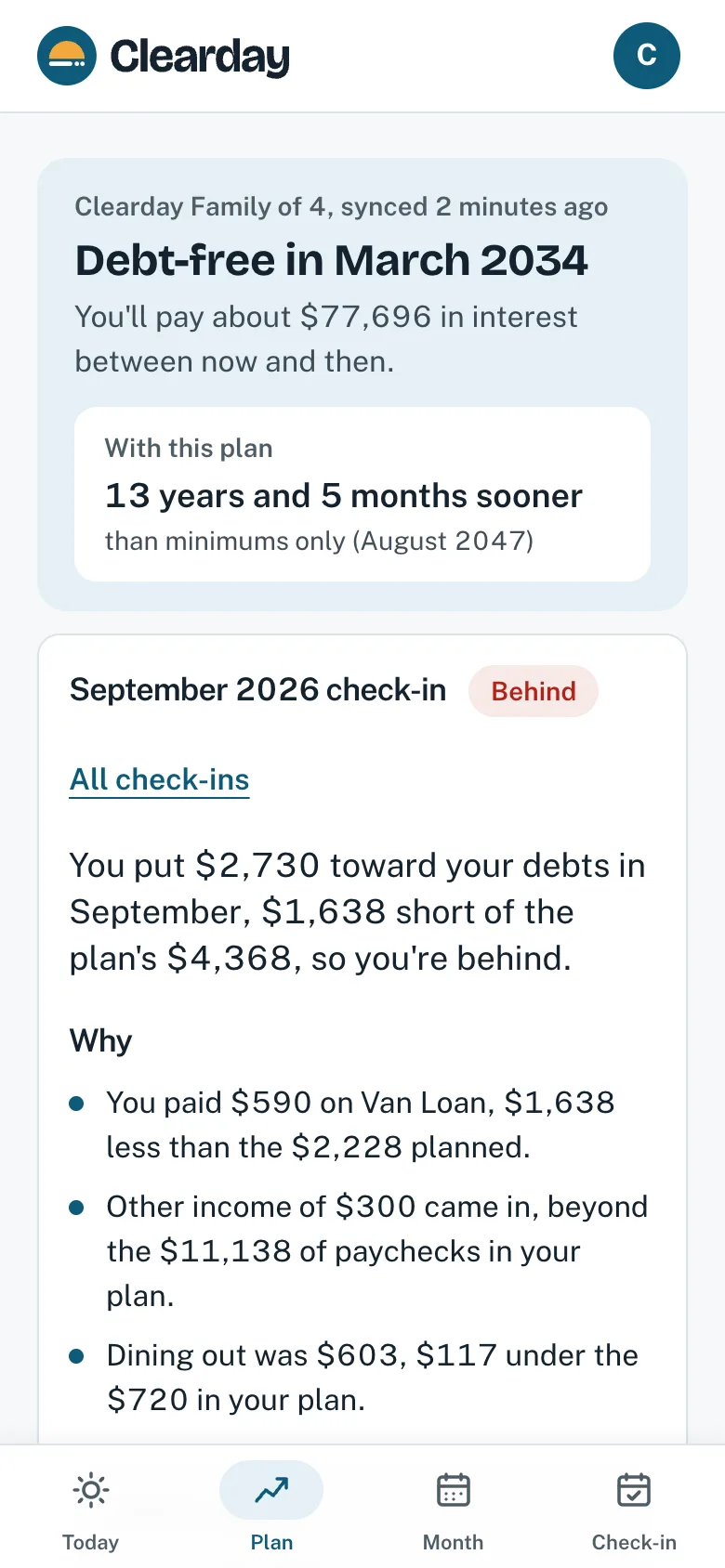
These are real Clearday screens, from a made-up family of four with a mortgage and a van loan. Pick a screen to see it both ways.
Plan: your debt-free date, how much sooner it is than minimums alone, and where each month's take-home goes.
Made-up household. Your screens show your own budget.
How it works
- 1
Connect your YNAB budget
Approve it on YNAB's own page. Clearday only reads your budget and never sees your password.
- 2
Answer five questions
Your paychecks, debts, giving, true expenses (the costs that don't come every month), and anything else you want to plan for. About ten minutes.
- 3
See your plan
Your debt-free date or your goals, explained. Try a trip, a bonus or a raise first.
- 4
Check in monthly
Five minutes after each month ends: on track, ahead or behind, and what to adjust.
Why I built Clearday
I first signed up for YNAB in August 2016, after trying other budgeting apps, spreadsheets and my bank's app. I'll admit it's been on and off since. But every time I come back, it changes how our family handles money. We use it, and so do friends and family who have learned about it. I love it.
Much of what I know came from the YNAB community. My favorite was Heard it from Hannah (opens in a new tab). Nick True at Mapped Out Money (opens in a new tab) and YNAB's own channel (opens in a new tab) taught me plenty too. If you're new to YNAB, start there.
YNAB gave us control of each month. What I still wanted was to see where that control was taking us: when we'd be debt-free, whether we could afford a trip without setting ourselves back, and what a bonus should do before it arrived. So I built a planner for our own family on top of our YNAB budget.
Clearday is that planner, rebuilt so other YNAB households can use it too. It doesn't replace anything YNAB does. It shows you where it's taking you.
Austin Malherbe
Questions people ask
- What does it cost?
- Nothing during early access. If Clearday ever charges, you'll see the price before you're asked to pay anything.
- Can Clearday change my YNAB budget?
- No. Clearday only reads your budget, through YNAB's own sign-in page. It can't add, change or delete anything in YNAB, and it never sees your YNAB password.
- What happens to my budget data?
- It's used only to build your plan. It's never sold or shared. You can disconnect and delete everything at any time.
- Is this financial advice?
- No. Clearday is a planning tool. Its dates and numbers are estimates based on what's in your budget and what you tell it.
- Is Clearday part of YNAB?
- No. It's an independent app built by a YNAB user. It works with YNAB through YNAB's official connection.
- When can I start?
- Clearday is opening to a small group of YNAB households first. Join the list below and we'll email you when there's a place for you.
Get early access
Clearday is opening to a small group of YNAB households first. Leave your email and we'll let you know when there's a place for you.
New to YNAB? See how YNAB works (opens in a new tab). Budget another way? Tell us below and we'll let you know if Clearday comes to it.
You're on the list
We saved .
There's nothing else to do. We'll email you when there's a place for you.